Posts

Showing posts from April, 2023

A look at Dynamics 365 ERP and ERP Analytics MCP Servers

Image
MCP Servers Arrive in Preview for Dynamics 365 Finance and Supply Chain Recently, Microsoft has introduced MCP servers in preview for Dynamics 365 Finance and Supply Chain, marking a significant leap in the ERP ecosystem. This new capability means that organizations using Dynamics 365 can now leverage MCP servers to supercharge their interactions and analytics—all while maintaining the compliance and security standards expected from a modern cloud service. What Is an MCP Server? An MCP server is a specialized, cloud-managed platform designed to handle advanced analytics workloads for enterprise applications. By offloading data processing and analytical computations from the core operational databases, MCP servers enable faster, scalable, and more secure reporting and analysis. These servers are optimized for handling large datasets, real-time queries, and complex analytics scenarios, providing organizations with the agility to adapt to dynamic business needs. You can learn more abo...
Progress Billings with Project Accounting & Sales Orders

Image
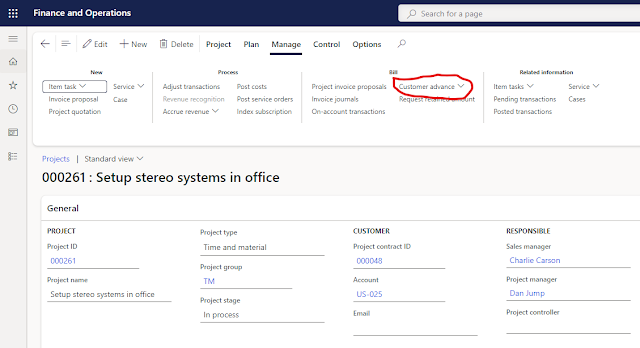
I was recently working with a couple customers that have very large orders and they need to invoice when the order is booked and maybe issue a couple progress invoices while the order is processed.  There are a few ways this can be handled in D365.  Unfortunately, Microsoft disabled the prepayment tab on the sales order tab in version 10.0.14 .  There is currently an idea posted inside the Microsoft ideas portal to add a function to handle prepayments.   Hopefully Microsoft will address this issue in the near future.  However, I needed to find a solution for today, and using Project Accounting seems to give an acceptable solution for managing the progress payments.   The key to this approach is using the Customer Advance on the Project screen.  It is also important to make sure you have setup the proper liability account for the prepayment invoice.  This is done in Project - Setup - Posting - Ledger Posting Setup. To see how this works in act...